
My Collection

Save a Collection of specific files to allow others to view, use or comment on. Or for you to use in the future. With one click you can easily Add All to The Collection which will expedite your collection and delivery of files.
My Collection is a fast and semi-temporary holding place for you to use until you finalize your selection of images.
My Collection is a perfect collaborative tool since you can save and share this collection with the option that you would like.
Collections allow you to create your own personal albums with your favorite files.
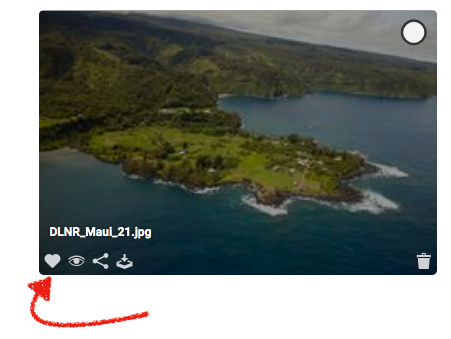
After selecting a file, click the heart icon in the bottom left corner to add it to a My Collections folder.
You can create and view your Collections folders through the Library Bar on the left side.
To select your My Collections folder to view or edit the assets inside, click on the folder and hit the Submit button.
My Collection is also perfect way to print a contact sheet of your specific files.
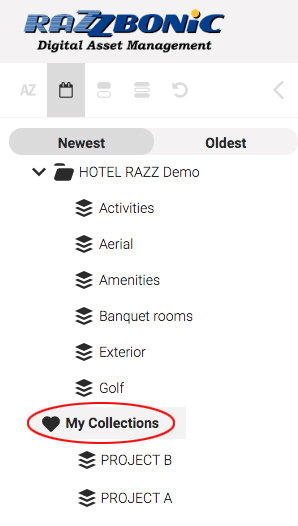
You can create and view your Collections folders through the Library Bar on the left side.
To select your My Collections folder to view or edit the assets inside, click on the folder and hit the Submit button.
My Collection is also perfect way to print a contact sheet of your specific files.